
Download XCritical Black – trading app, trading signals, market analysis, profit calculator, economic calendar, one-click trading, mobile trading, trading tools, trading platform, financial tools
Overview
xCritical Black is a mobile trading application designed to support users in navigating financial markets with enhanced tools and insights. Developed by Xcritical Soft LTD, the app aims to simplify trading for both novice and experienced users by integrating essential features into a single, accessible platform. Its primary purpose is to assist traders in making informed decisions through real-time market analysis, reliable trading signals, and a streamlined workflow.
The app enables quick account switching, supports one-click deal opening, and includes a built-in profit calculator for evaluating potential returns. It also features a calendar of economic events, helping users anticipate market-moving developments. The inclusion of private webinars provides educational content on trading strategies, market psychology, and forecasting techniques.
While the software is marketed as a comprehensive trading solution, the developer did not provide additional details on its technical architecture or backend processes. Platform compatibility information is limited to Android and iOS, with no specific mention of device specifications or system requirements. The app is available at no cost, making it accessible to a broad audience seeking financial tools and trading utilities.
Key Features & Capabilities
- Trading Signals – The app delivers real-time trading signals to help users identify potential market opportunities. These signals are intended to support decision-making by highlighting favorable entry and exit points.
- Automated Market Analysis – Built-in tools analyze market trends and patterns, providing users with data-driven insights to inform their trading strategies.
- One-Click Deal Opening – Users can execute trades with minimal steps, reducing latency and enabling rapid response to market movements.
- Profit Calculator – A built-in tool allows traders to estimate potential gains or losses based on trade parameters, aiding in risk assessment and planning.
- Economic Calendar – The app includes a calendar of upcoming economic events, which may influence market volatility and asset prices.
- Flexible Notification Configurations – Users can customize alerts for market changes, signal triggers, or economic announcements to stay informed.
- Account Switching – The ability to switch between multiple trading accounts quickly supports users managing diverse portfolios.
- Private Webinars – Access to live educational sessions with market experts offers insights into trading psychology, strategy development, and market behavior prediction.
- Personal Consultant Option – Users can choose to trade independently or receive guidance from a personal consultant to refine their market analysis.
- Multi-Factor Authentication – Security measures include PIN, fingerprint, and Face ID for secure access to the app and user accounts.
These features are designed to enhance trading efficiency and decision quality. For example, a user monitoring a volatile stock can receive a signal, verify it with the profit calculator, and execute a trade within seconds. The economic calendar helps prevent unexpected losses by alerting users to high-impact news events. The integration of educational webinars supports long-term learning, making the app suitable for users at different experience levels.
User Interface, Workflow & Performance
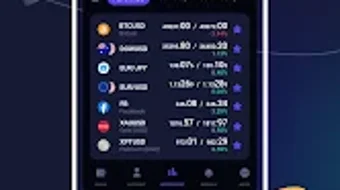
The user interface of XCritical Black is described as modern and user-friendly, aligning with current mobile design standards. Navigation appears to be structured around core trading functions, with intuitive access to signals, analysis tools, and account management. The workflow is streamlined to minimize steps between identifying a trading opportunity and executing a trade, particularly through the one-click deal opening feature.
While specific UI elements such as layout, color scheme, or interaction patterns are not detailed, the app’s focus on simplicity suggests a clean, accessible design. The developer did not specify resource usage details, including CPU or RAM consumption, so performance behavior remains general. No information was provided about app stability, update frequency, or background operation.
Performance observations are based on general software behavior patterns. Given that the app is free and available on both Android and iOS, it likely undergoes regular updates to maintain compatibility and fix issues. However, exact performance metrics or user feedback data were not included in the provided information.
Compatibility & System Requirements
xCritical Black is available for Android and iOS platforms, indicating broad accessibility across major mobile operating systems. The app’s version is listed as 3.1.2, with a file size of 85.6 MB, suggesting a relatively lightweight installation. However, exact system requirements such as minimum OS version, processor speed, or RAM specifications were not listed.
Compatibility information was partially provided, leaving gaps in understanding which devices are supported. The developer did not specify whether the app requires an internet connection for all functions or if certain features operate offline. Users should verify compatibility with their specific device model and OS version before installation.
The absence of detailed technical specifications limits the ability to assess hardware suitability or potential performance issues on older devices.
Pros and Cons
Pros
- Free to download and use, lowering the barrier to entry for new traders.
- One-click trading enables fast execution during volatile market conditions.
- Integrated profit calculator supports risk assessment and trade planning.
- Real-time trading signals and automated market analysis provide data-driven insights.
- Access to economic calendar helps users anticipate market-moving events.
- Private webinars offer educational value for skill development.
- Multi-factor authentication enhances account security.
- Supports multiple account management for diversified trading.
Cons
- Exact system requirements were not specified, limiting device compatibility clarity.
- Performance and resource usage details were not provided.
- Security measures are mentioned but not independently verified.
- App availability is limited to mobile platforms; no desktop version was indicated.
- Information about update frequency and long-term support is unavailable.
FAQ Section
Is XCritical Black available for Windows or Mac?
The app is currently available only for Android and iOS devices. There is no desktop version listed in the provided information.
Is the app secure for financial transactions?
The developer states that the app uses encrypted data and supports PIN, fingerprint, and Face ID for access. However, no independent security audit or third-party verification was provided.
Does XCritical Black require an internet connection?
Given the real-time nature of trading signals, market analysis, and webinars, an active internet connection is likely required for full functionality. Offline capabilities were not specified.
Are there any hidden fees or in-app purchases?
The app is listed as free, with no mention of in-app purchases or subscription costs. However, the availability of a personal consultant may involve additional fees, which were not detailed.
How often are updates released?
Update frequency was not provided. Users should check the app store for the latest version and release notes.
Final Thoughts + CTA
xCritical Black presents itself as a comprehensive mobile trading platform tailored for users seeking accessible tools to enhance their trading experience. With features like real-time signals, one-click trading, and an integrated profit calculator, it caters to both beginners and seasoned traders looking for efficiency and insight. The inclusion of educational webinars and a personal consultant option adds value beyond standard trading utilities.
While the lack of detailed system requirements and performance data limits deeper technical evaluation, the app’s free model and mobile-first design make it a compelling choice for those already invested in mobile trading. The developer’s focus on user experience and security features is evident, though verification of these claims remains outside the provided scope. Overall, XCritical Black stands out as a modern, feature-rich solution in the competitive trading app market.
Download XCritical Black now.






.png)
